How to do keyword research for your e-commerce

Geir Halvorsen
Senior SEO-specialist
Doing keyword research is a very important part of your SEO strategy. Here you'll find some simple tips and advice on how to find out how your potential customers are searching for your specific products.
Watch my video (7 min) or read the article that goes a bit more in depth on how you can conduct different keyword analyses.
Find out how you rank today
Before you build your keyword strategy, it's a good idea to find out which keywords you already rank for. That way you can start working on content on your site that already ranks well or fairly well.
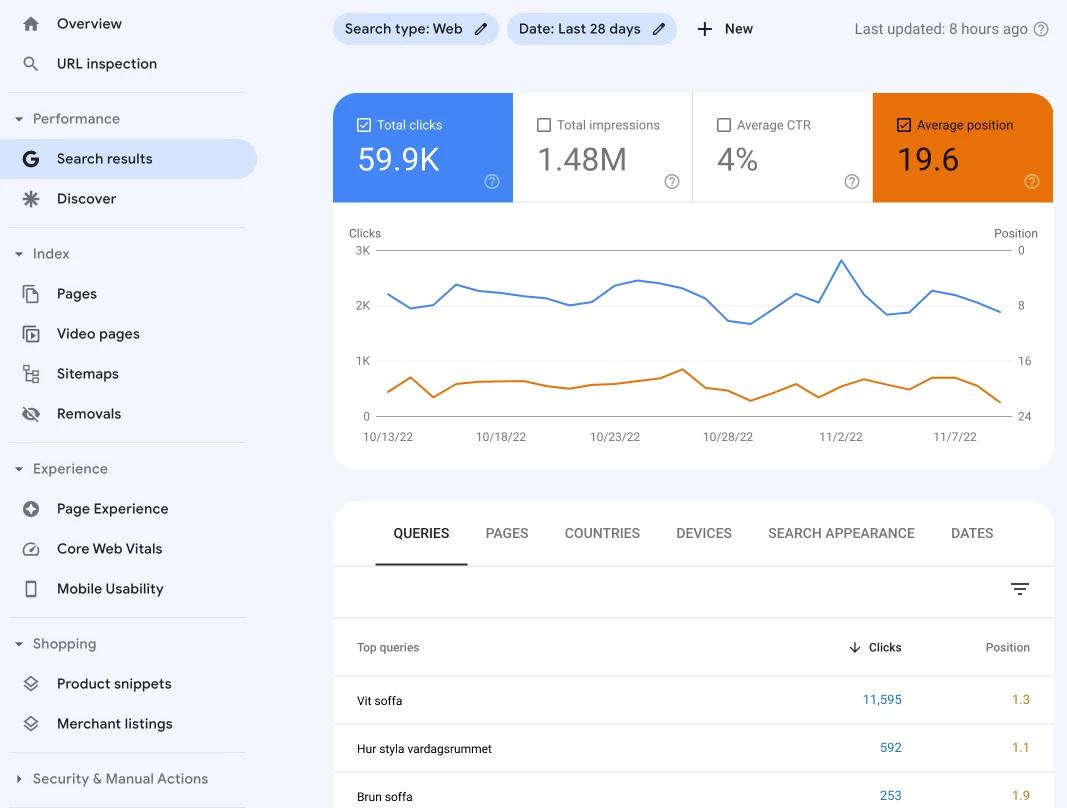
To see how your site ranks today you can use paid tools like Ahrefs and Semrush, or you can connect your site to Google Search Console which is a free tool from Google. Here you can see which keywords you rank for, as well as how much traffic you receive from Google's organic search results (+ much more).
What is search intent?
First and foremost, you need to understand the purpose behind the search — different intents will likely require different landing pages. Informational searches usually require an explanatory blog article where the searcher can find answers to a question, while commercial and transactional searches usually require a good category or product page that offers a product or service.
Search intents are divided into four categories
- Informational searches where the searcher is looking for answers to a specific question or wants to learn more about a specific topic
- Navigational searches where the searcher is looking for a website, a page online, or a geographic location
- Commercial searches where the searcher is researching or comparing brands, products, or services
- Transactional searches where the searcher intends to make a purchase or complete an action on a website
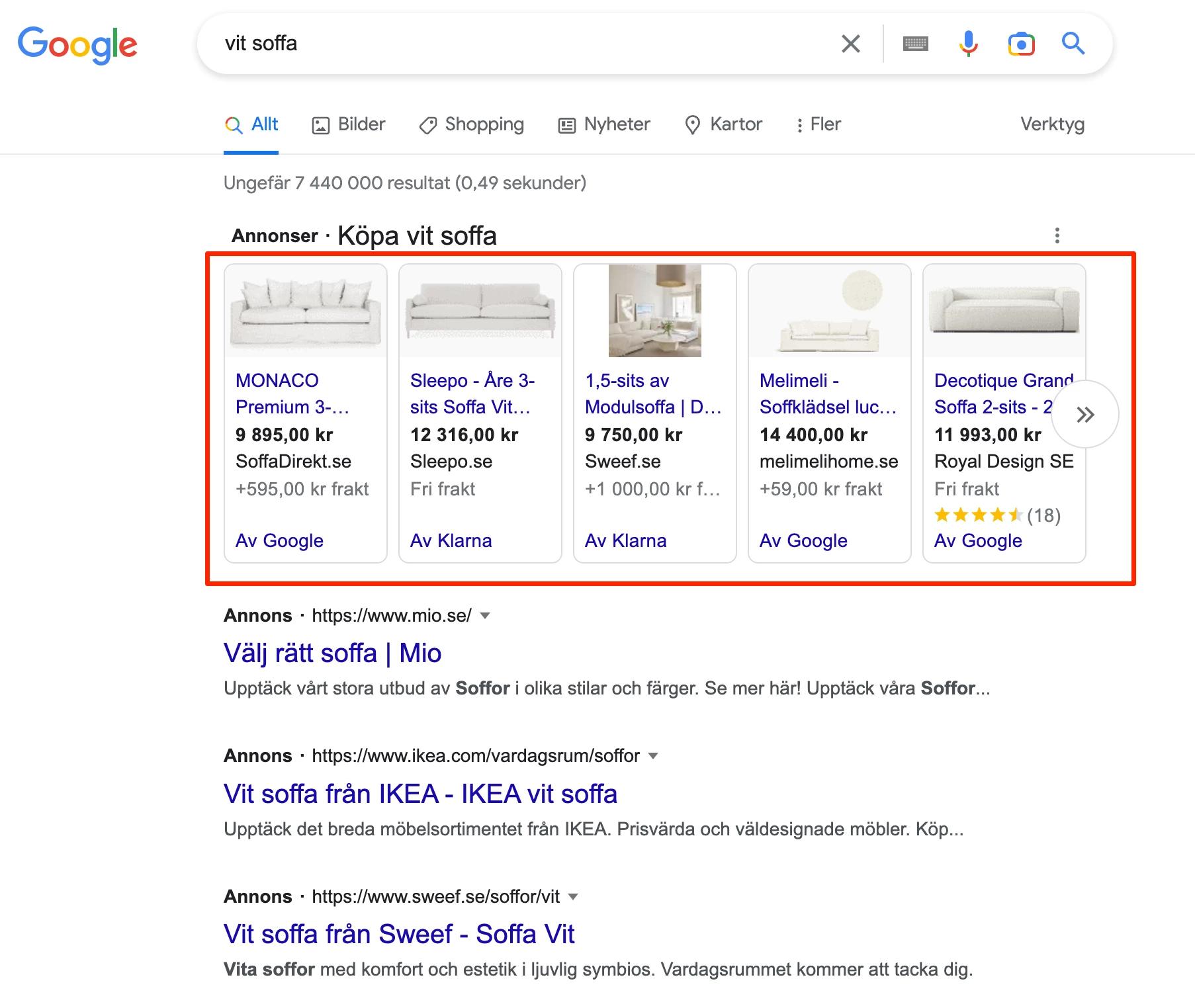
To understand what category your search falls into, you can simply perform the search yourself on Google. Look at the pages that appear in the search results and see whether answers are already given in the results, or whether the linked page is an informational page or perhaps a product page. It can also be revealed by whether you see Google Shopping ads or not. If there are ads, that's an indication that it may be a transactional or commercial search. Once you know what you're competing against, you can more easily decide what actions you need to take in order to rank for the same keywords.
Example:
Shopping ads = transactional search
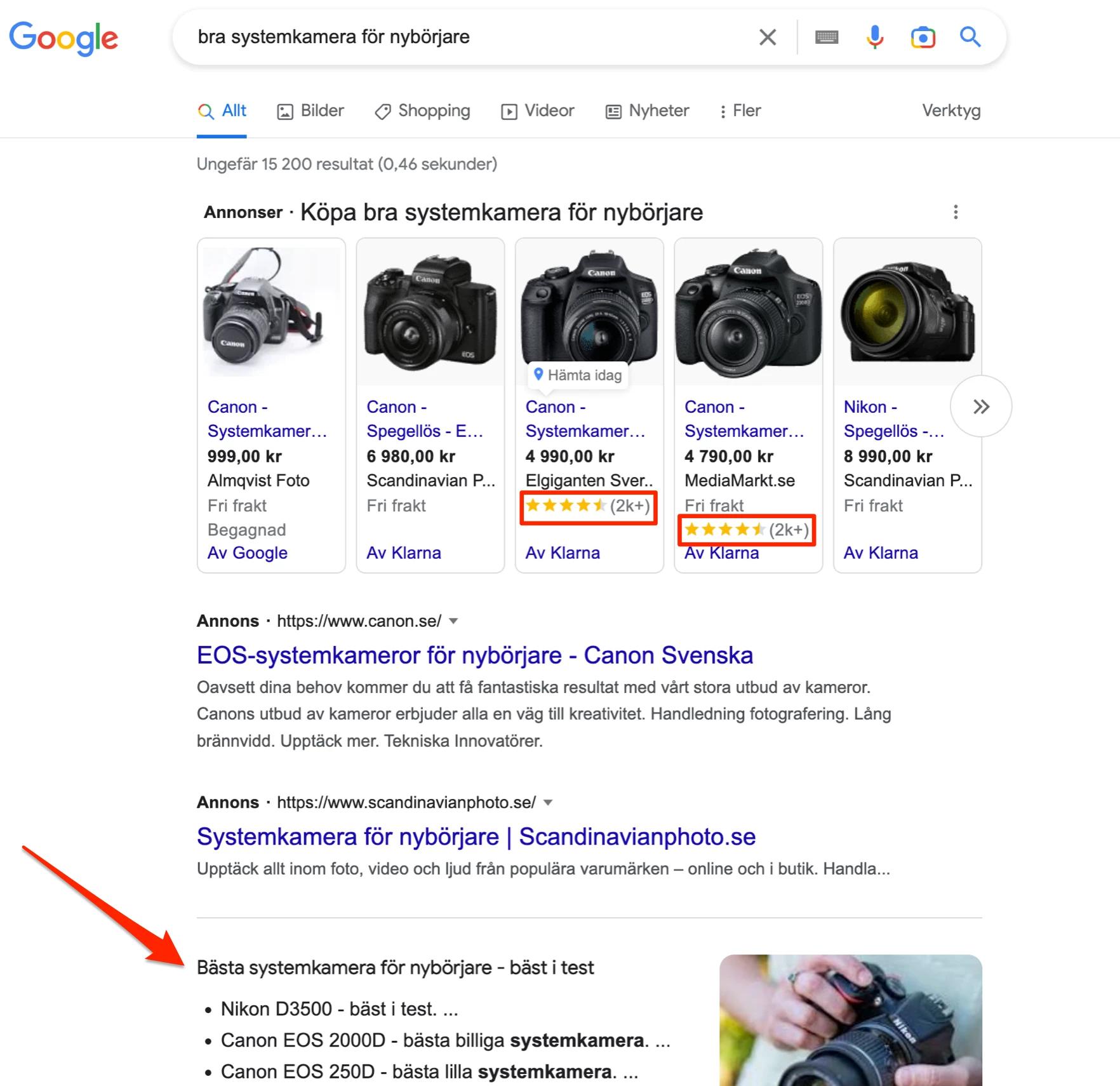
Reviews in search results = often commercial searches
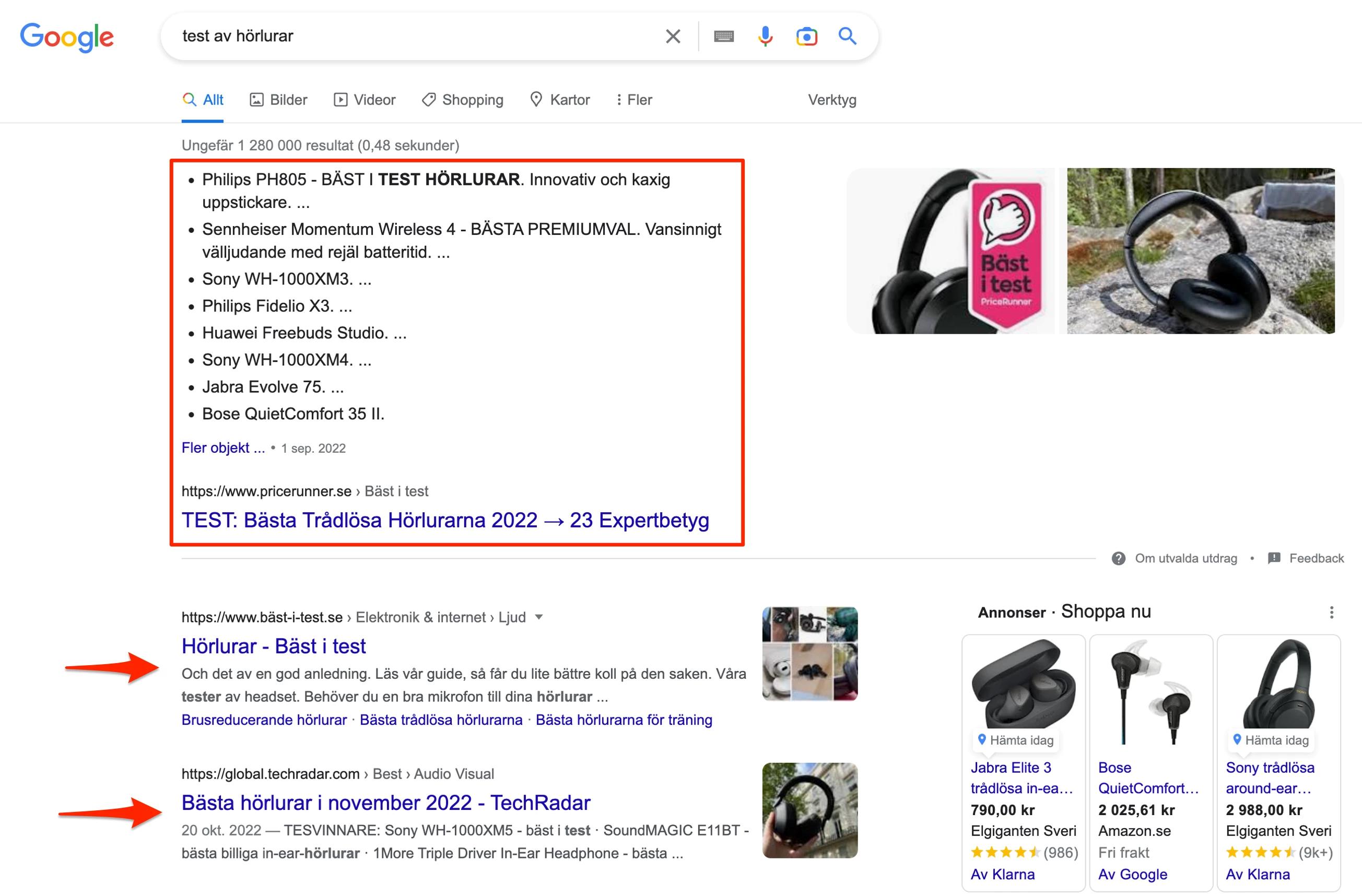
Answers directly in search results = informational searches
Sitelinks on first brand match = navigational search
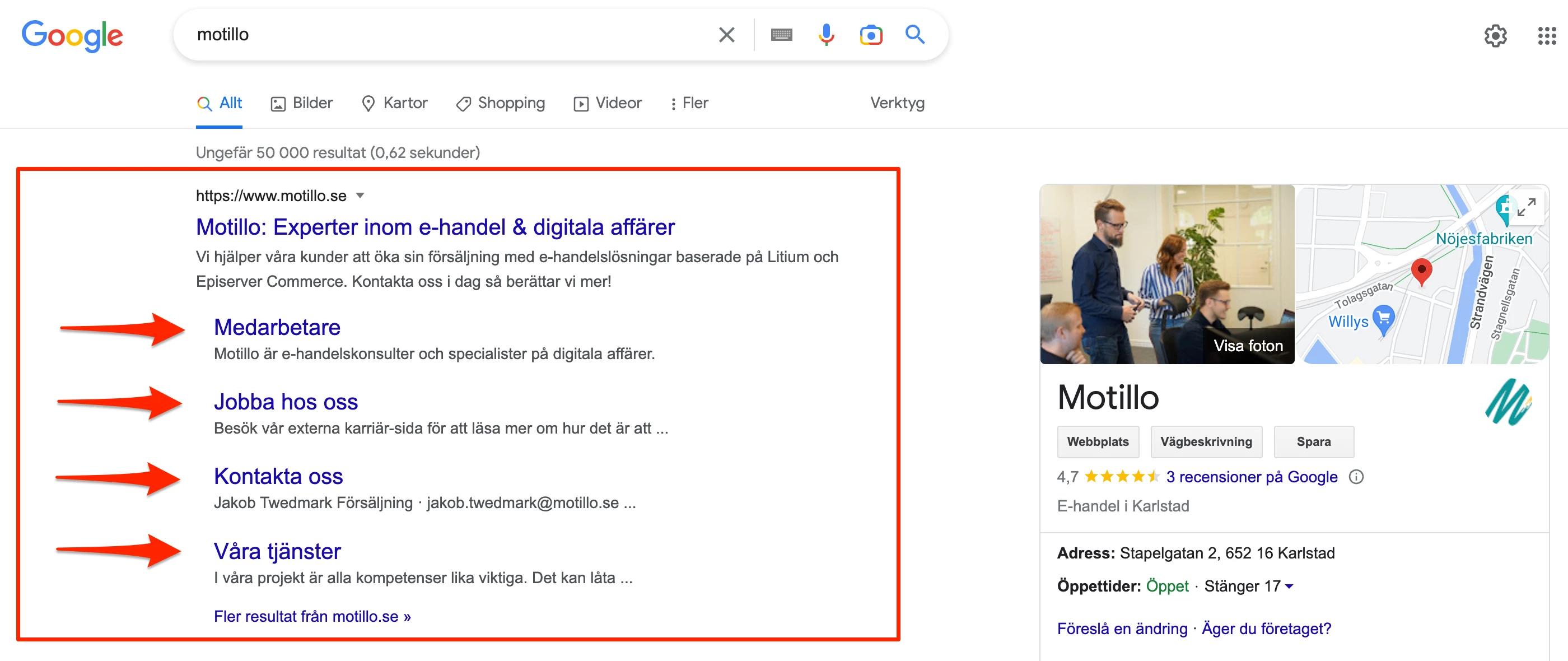
The search query itself usually reveals the intent. For example, it may contain words such as:
- Transactional – buy, cheap, sale
- Commercial – best in test, reviews, comparison
- Navigational – brand name, company name
- Informational – how, why, what, guide
Low-hanging fruit
Now that you know how your site ranks and what the intent behind the searches is, you can start acting on what you already rank for. I usually recommend looking through search terms where you rank between positions 8–30, which I call low-hanging fruit. Here you rank reasonably well, but haven't quite reached the top — meaning you've done something right, but are missing certain elements. Often it can be enough to fix a title, heading, or text content.
Once you've optimised the content, you'll want to keep track of these search terms and see how they develop. You can also use Google Search Console for this, but the easiest approach is to invest in a tool where you can enter the specific search terms you want to monitor. Examples of such tools are Accuranker, Semrush, and Ahrefs.
Keywords you don't rank for at all
Now that you have a solid grip on the keywords you already rank for, it's time to start looking at keywords you don't rank for at all. To find these keywords and search terms, there are a few different approaches. Two methods are:
- Google it – Search for terms you think you should be appearing for. When you type in your search, suggestions for search terms usually appear in the search field. You can copy these and enter them into a tool to find search volumes. With Google Keyword Planner you can check search volumes for free, and also discover other relevant search terms.
- Do a competitor analysis – Find out what your competitors rank for and see which terms you don't rank for. This can also be done by Googling and seeing which of your competitors appear, but the easiest way to do this is to use tools that offer gap analyses. One tool with this feature is Semrush. Here you can enter your competitors' domains and get lists of search terms they rank for that you don't. You can read more about gap analyses here.
Which keywords are important?
When doing keyword research, it's easy to be dazzled by keywords and terms with high search volumes — but it's not just about getting lots of visitors to your website, it's about getting the right visitors.
How do you evaluate what the right traffic is?
Say you have an online shoe store — do you think you have the most potential to make a sale to someone searching for "hiking boots" (5,000 searches per month) or someone searching for "Haglöfs hiking boots women" (approx. 80 searches per month)? The search phrase "Haglöfs hiking boots women" is much closer to a conversion, as the searcher has already done their research and decided on the type of shoe, the brand, and who will be wearing it.
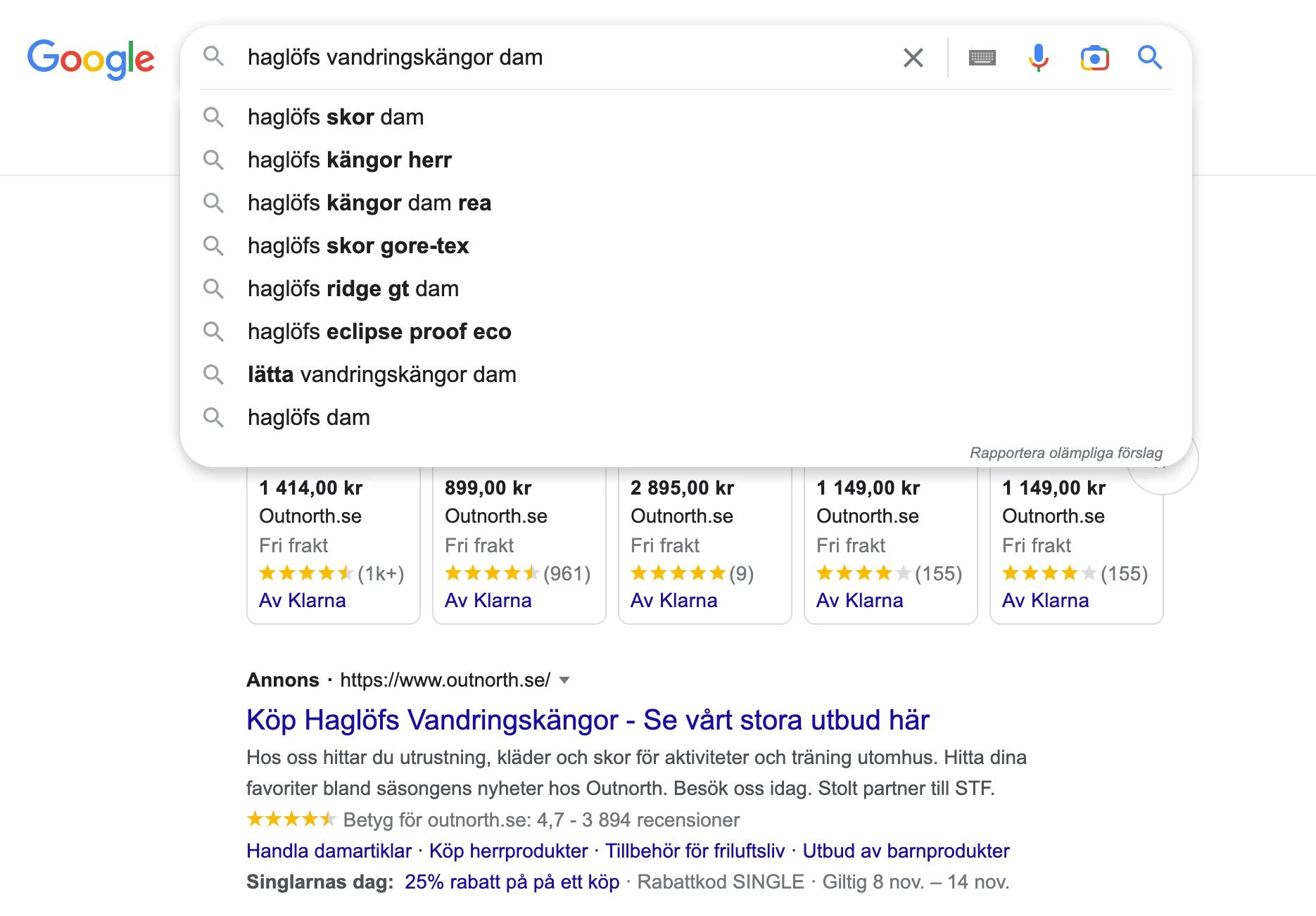
The search phrase "Haglöfs hiking boots women" is what's known as a long-tail search. So what is a long-tail search? Well, it is:
- A search that usually has much lower search volumes but higher precision
- A search where multiple variables are added, such as size, colour, and brand
Some advantages of optimising for long-tail searches:
- It becomes easier to rank highly due to low competition
- You get more relevant traffic to your website
- The search is closer to a conversion
That said, you should of course not exclude broader searches such as "hiking boots", but I just want to clarify the difference and make sure you don't dismiss narrower search terms with low volumes.
Keep track of your keywords
Once you've identified your most important keywords, it's important to keep track of them. As mentioned earlier, you can note these down in a document and monitor them via Google Search Console, but the best approach is to invest in a tool such as Accuranker, Semrush, or Ahrefs, where you can continuously see how keywords are moving up or down in rankings. That way you can quickly act and optimise pages you see losing rankings or that have the potential to rank better. In most tools you can also enter your competitors and keep track of how they rank for your important keywords.
I hope you now feel more confident about doing keyword research and identifying which keywords are important for you to rank for. If you feel you need help with this, don't hesitate to get in touch with us — we'd be happy to help!